EA’s replacement for Origin
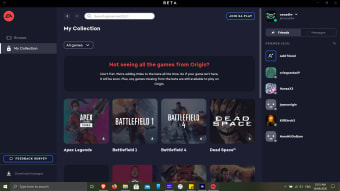
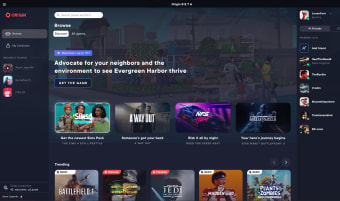
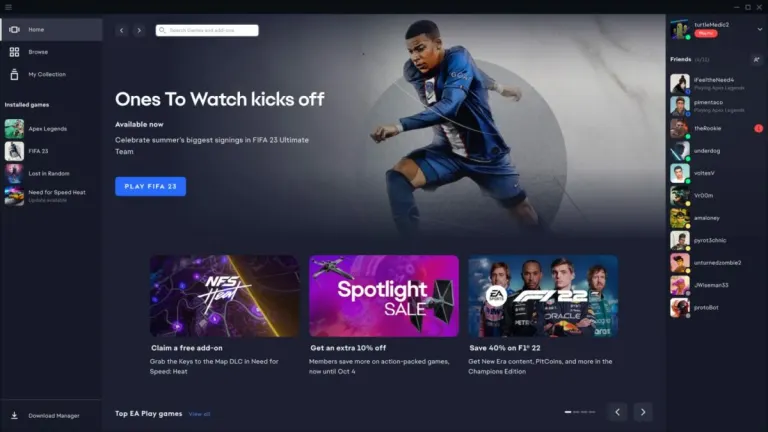
EA Desktop is a free video game utility tool that enables you to easily access all EA gaming content. Developed by Electronic Arts, this app is the official PC launcher and the new iteration of Origin. While it’s a beta project, it actively depends on player feedback in order to keep improving. You can freely switch between the two and keep playing your games, as your account is synced automatically once you get this program.
Top Recommended Alternative

What is EA Desktop?
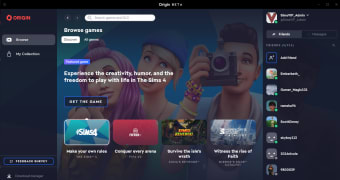
The EA Desktop app is EA’s new version for Origin, its digital distribution platform that lets players buy and play EA video games on it. Like other similar software—such as Steam and Ubisoft Connect—Origin includes features to augment your gaming experience. You can connect with friends using the social function of adding friends, sending messages, and setting up a gaming profile. It also integrates with social media sites and its official subscription service, EA Play.
This new desktop application retains Origin’s original features and further improves on them. You can now seamlessly access the social feature with the in-game overlay and check your friend list, chat, and others’ profiles. It will also offer faster updates and more cross-play features. However, much of them are just fixes and updates. It’s pretty easy to get the app since the beta is open to all players—even if you already have Origin software.
To switch to this version when you already have the Origin application, you have to first install this app as it’s a completely separate program. After doing so, log in with your EA account. Your games will automatically be downloaded and ready to be played, as these are tied to your account and not just Origin. If you don’t see some games, they are probably not added to the platform yet so just wait until they arrive.
Help improve the app
All in all, EA Desktop is a vast improvement of a platform and brings in features that have long been requested by fans. It’s only too bad that it’s not a major update to Origin’s own platform but you can easily switch between them and continue playing your games. Everything in your EA account will show up on this program without much trouble. It’s recommended to try this out to contribute to improving EA’s services.
Experience the Next-Gen Gaming Platform
Additionally, the EA app boasts improved performance and enhanced user interface, making it easier than ever to navigate through the application. The integration of EA Play subscription service offers even more value for gamers, granting access to a vast library of games, exclusive content, and early trials of upcoming releases.
Furthermore, the EA app has improved community features that encourage interaction between players and allow for seamless cross-platform play. The new platform also promises increased stability and more regular updates, ensuring an optimal gaming experience for all users. Give the EA app a try and experience a fresh take on EA's gaming ecosystem.